Overview Features How It Works Compatibility Pricing Compare Reviews FAQ Shipping Get Yours - Up to 75% Off →
Up to 75% OFF - Limited Stock

Smart Entertainment Without Monthly Fees

Upgrade any television to a feature-rich smart TV with Flixy TV Stick - the HDMI streaming device that delivers unlimited entertainment without subscription fees. 1,000+ free channels, AI-powered recommendations, 4K streaming, built-in browser and games. Pay once, enjoy forever.

One-time purchase - lifetime access to 1,000+ channels
Easy HDMI setup - any TV from 2003 onwards, no tech skills
Zero monthly fees - no cable bills or streaming contracts
Portable & travel-ready - lightweight, slips in a pocket
AI-powered recommendations - discover new favourites faster
30-day risk-free trial - love it or full refund
Secure SSL checkout
Free shipping on bundles
30-day money-back guarantee
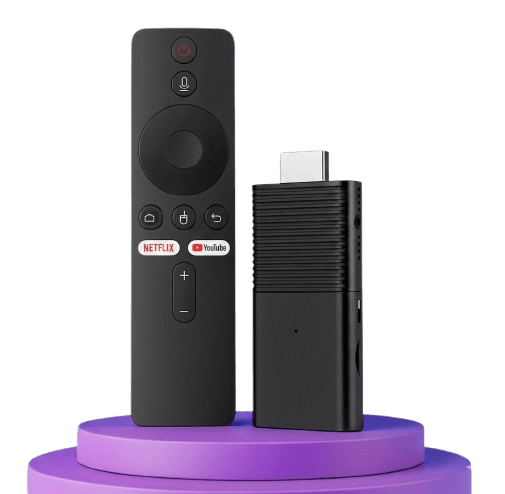
Person plugging Flixy TV Stick into an HDMI port, highlighting its compact size.

A Tiny Stick. Endless Entertainment.

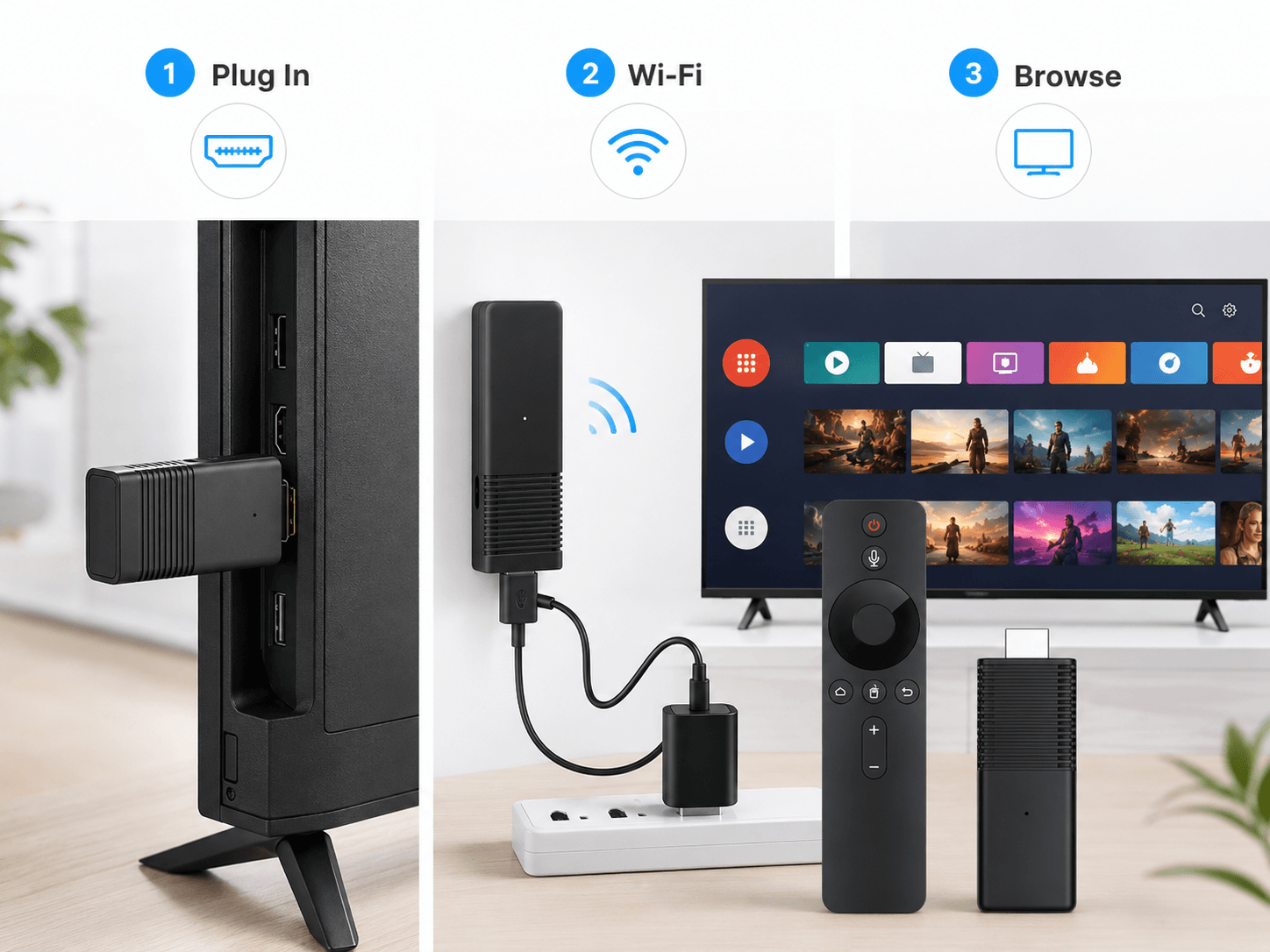
Flixy TV Stick is a compact HDMI streaming device designed to give compatible TVs a smarter, simpler entertainment setup. Plug it in, connect to Wi-Fi and browse supported apps, free viewing options, games and screen-mirroring features from one convenient interface.

  • Easy HDMI setup for compatible televisions
  • Dual-band Wi-Fi for smoother online streaming
  • 1 GB RAM and 8 GB storage as listed in product details
  • Apps, browser and built-in entertainment features
  • Compact design for home use or travel
  • One-time device purchase - premium subscriptions separate where required
Order Flixy Now
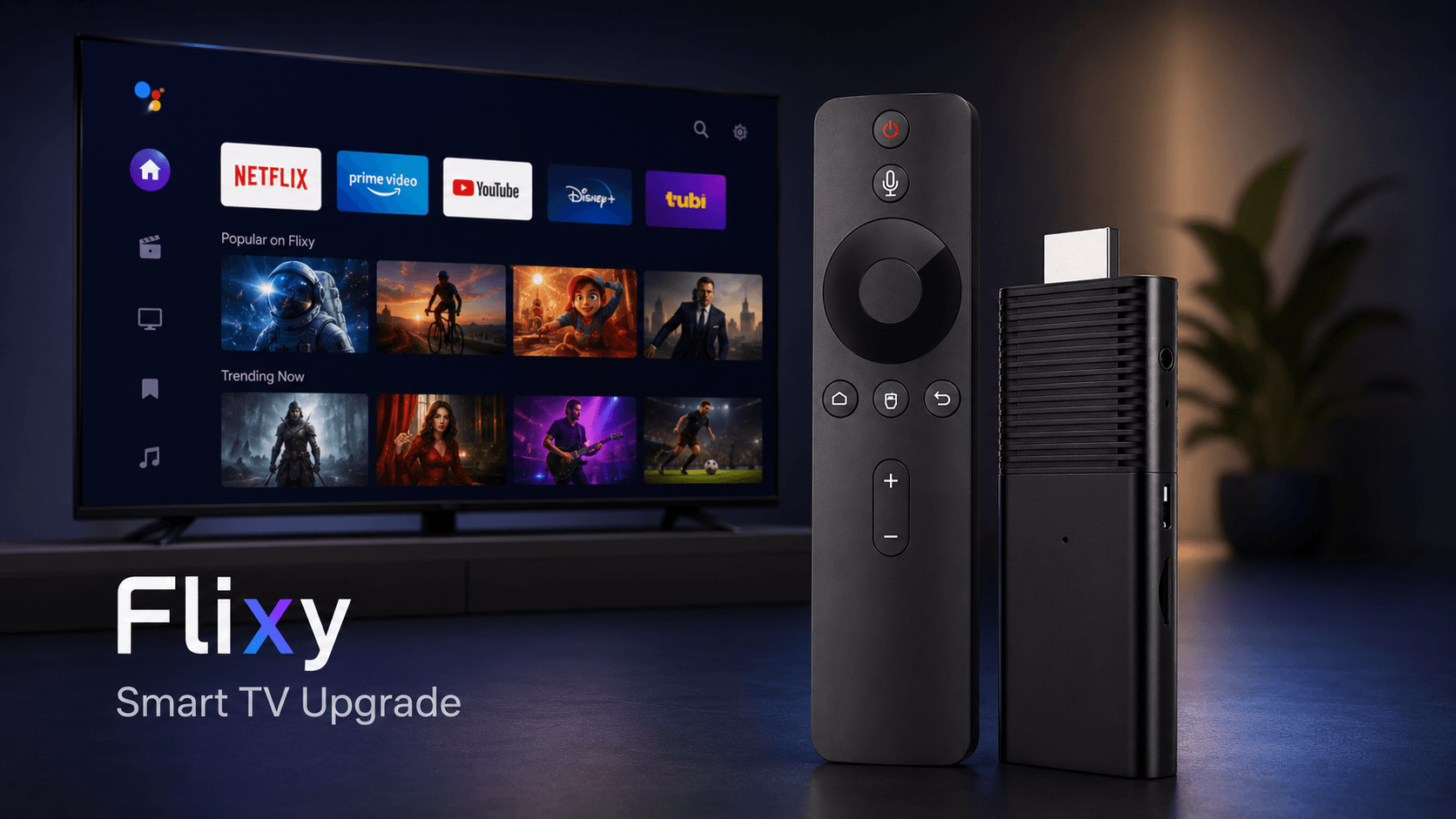
Flixy interface displayed on a TV screen showing a variety of channels and apps.

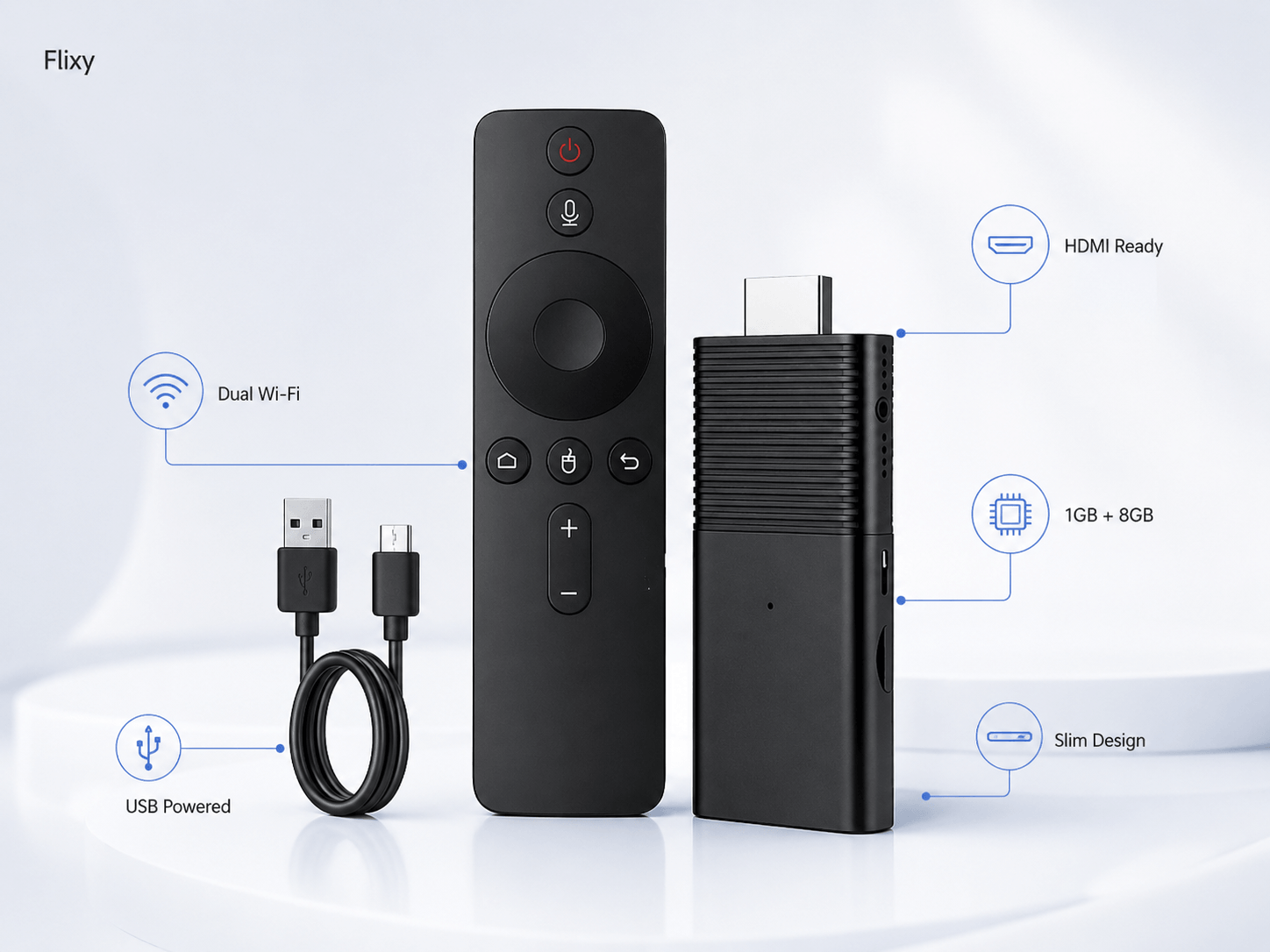
Flixy TV Stick Specifications

Engineered for durability and smooth performance. Everything you need to know about the hardware.

Key Features

  • Device Type: Portable streaming stick with HDMI connector
  • Memory & Storage: 1 GB RAM · 8 GB internal storage
  • Connectivity: Dual-band Wi-Fi (2.4 GHz + 5 GHz)
  • Compatibility: Works with TVs, monitors and projectors featuring an HDMI port
  • Operating System: Custom OS with built-in browser, app store and AI recommendation engine
  • Power Source: USB-powered via TV USB port or wall adapter
Flixy TV Stick

Everything You Want in a Streaming Device

Packed with premium features, all included in one simple purchase - no ongoing fees required.

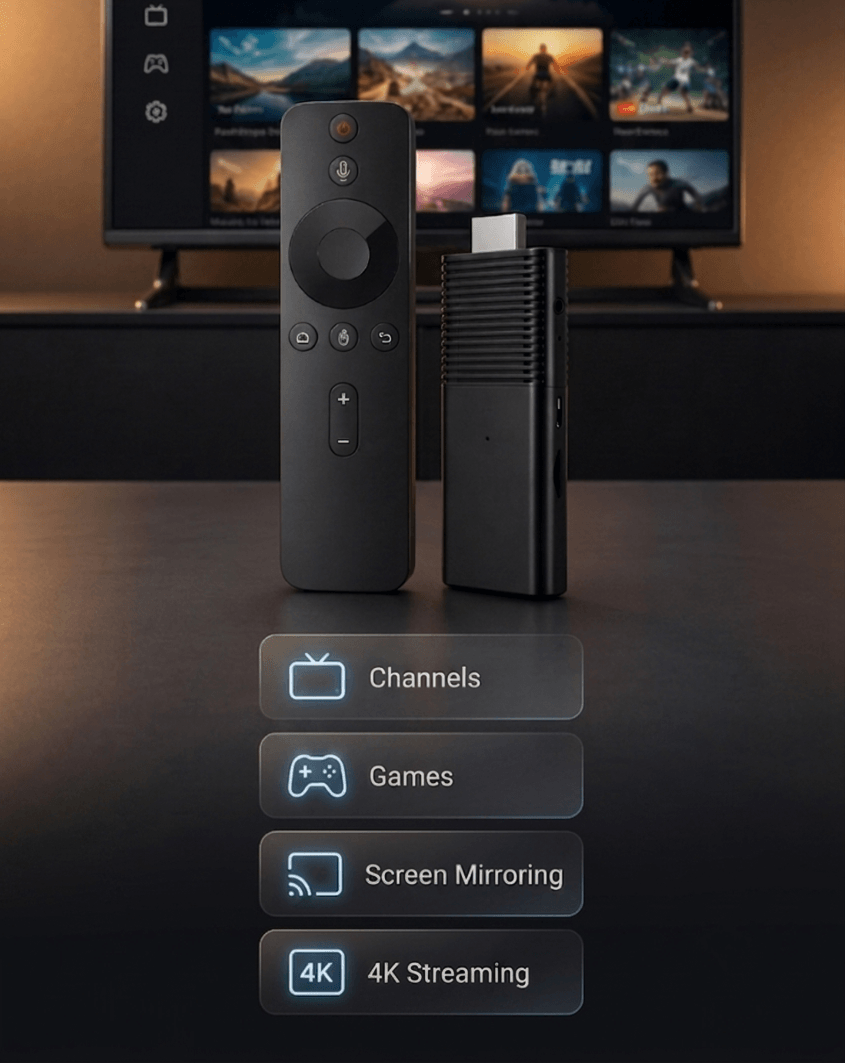
  • Unlimited Channels & Apps

    Unlock over 1,000 free channels spanning news, sports, movies and more.

  • No Monthly Fees

    Enjoy unlimited entertainment with a one-time purchase and no subscriptions.

  • AI-Powered Recommendations

    Smart recommendations help you discover content you'll actually enjoy.

  • Screen Mirroring

    Cast photos, videos and presentations directly from your devices.

  • 4K & 8K Streaming

    Crystal-clear video quality supported by compatible TVs and internet.

  • Built-In Games & Apps

    Enjoy entertainment, casual gaming and app downloads from one device.

  • Ad-Free Viewing

    Spend more time watching and less time waiting through interruptions.

  • Portability

    Take Flixy anywhere and stream on any compatible TV with Wi-Fi.

Get Yours Today
Streaming Device

Your Entertainment, Centralized

Flixy is designed to make entertainment easier to access on a TV screen. Once connected to an HDMI TV and Wi-Fi network, it gives you a central place to browse supported apps, free viewing options, online video, live content sources and screen-mirrored media from compatible devices.

Free Content and Apps

Flixy can help you explore free entertainment options available through supported apps and channels. Available content may include movies, shows, news, lifestyle programming, international viewing options and other app-based streams. Exact availability can vary by location, app library and content provider.

Premium Streaming Apps

Apps such as Netflix, Prime Video or other paid streaming services may require an existing account or separate subscription. Flixy is a smart TV upgrade device - it does not replace subscriptions required by premium content providers.

Local and Live Viewing

Access to local channels, sports or live programming depends on the apps available in your area and the rights held by each content provider.

Why buyers appreciate this: Flixy places more viewing options on your existing TV without forcing you to purchase a new screen or learn a complicated setup.
Explore Flixy Features

Stream Smarter with Flixy

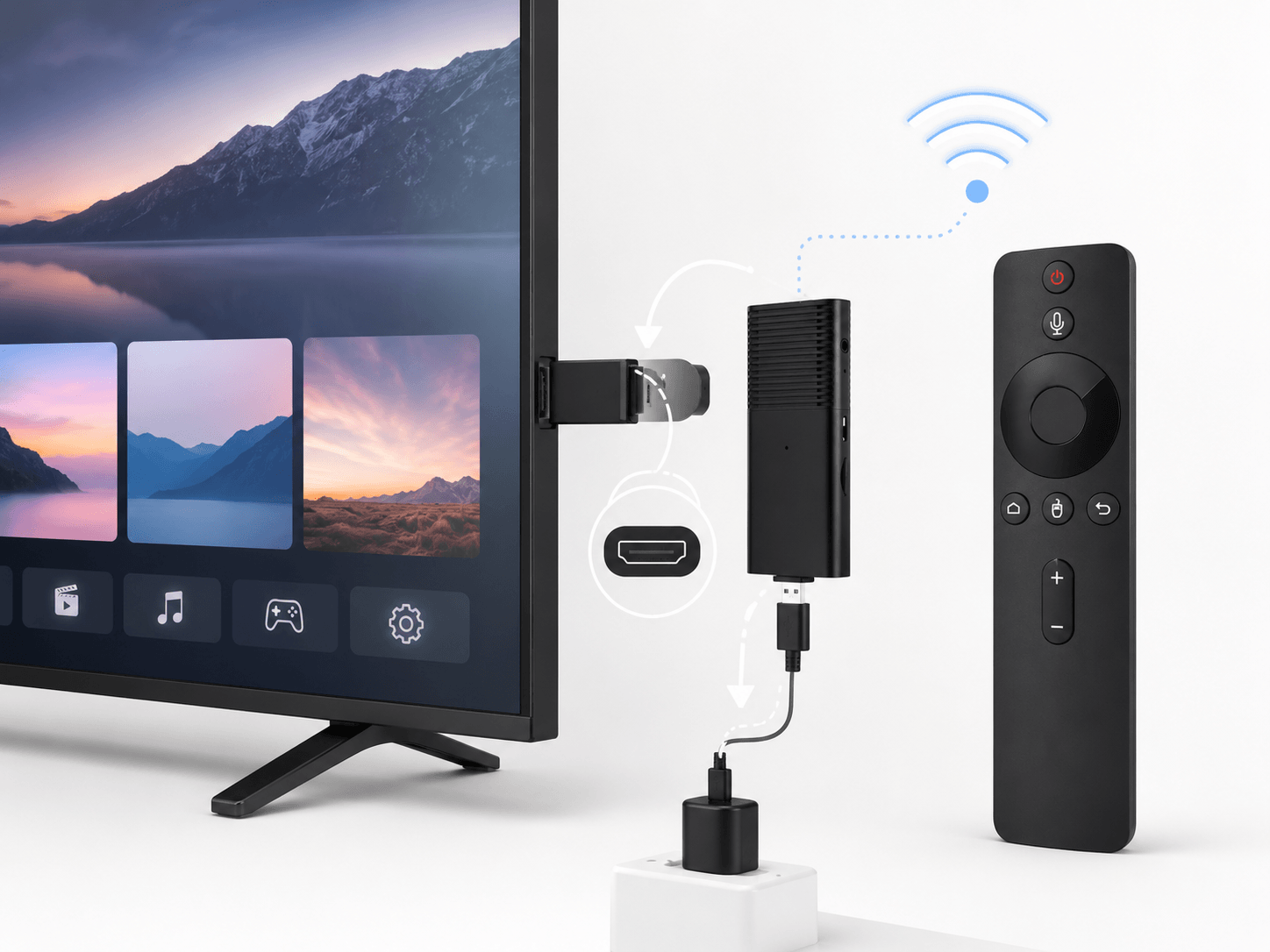
Flixy Smart Stick operates like a tiny computer dedicated to streaming. When inserted into your TV's HDMI port, it draws power via USB and boots into its custom interface.

After connecting to Wi-Fi, the system populates your home screen with channels, apps and personalised recommendations. You can browse using the included remote or a smartphone.

Unlike many competitors, Flixy doesn't lock you into a subscription - you simply choose the free content you want to watch.

AI learns your preferences and organises content automatically, reducing time spent scrolling and helping you discover content you'll enjoy.

Diagram showing Flixy connected to a TV, USB power source and Wi-Fi network

Getting Started Takes Just Minutes

1

Plug It In

Insert the Flixy TV Stick into an available HDMI port on your TV. Connect the USB cable to your TV's USB port or a wall adapter.

2

Select Input

Turn on your TV and select the corresponding HDMI input.

3

Connect to Wi-Fi

Follow the on-screen prompts to connect Flixy to your home Wi-Fi network.

4

Create Your Profile

Set up a user profile so Flixy's AI can personalise recommendations.

5

Explore Channels & Apps

Browse thousands of free channels, download apps from the built-in store and add favourites to your dashboard.

6

Mirror Your Device

Enable AirPlay or Miracast on your phone, tablet or laptop and select Flixy.

7

Stay Updated

Flixy receives automatic software updates, so no manual action is needed.

Step-by-step illustration of plugging in, connecting Wi-Fi and browsing Flixy

Quick Fixes for Common Issues

Most Flixy setups are straightforward: connect the stick, provide power, choose the HDMI input and join Wi-Fi. When something doesn't work immediately, a few simple checks usually solve the problem quickly.

Flixy Does Not Appear on Screen

  • Confirm that Flixy is fully inserted into the HDMI port
  • Check that the USB power cable is connected properly
  • Use your TV remote to select the correct HDMI source
  • Try another HDMI port if your TV has more than one
  • Restart the TV and reconnect the device

Flixy Is Not Connecting to Wi-Fi

  • Confirm that your Wi-Fi password is entered correctly
  • Move the router closer or reduce obstacles between router and TV
  • Restart your router and Flixy device
  • Try the other available Wi-Fi band where supported
  • Contact customer support when connection issues continue

The Remote Is Not Responding

  • Check whether batteries are installed correctly
  • Replace batteries with fresh compatible batteries
  • Make sure there is no obstruction between the remote and device
  • Restart Flixy before attempting setup again

Streaming Is Buffering or Dropping

  • Try lowering the streaming resolution temporarily
  • Move closer to the router or use a stronger Wi-Fi connection
  • Streaming quality can change with internet speed and peak usage
  • Consider the router distance before assuming a device issue

Need extra help? Visit our Contact page for setup guidance, order help or return support.


Check Compatibility Before You Order

Flixy is a simple upgrade for many TVs, but checking compatibility before ordering helps you get the best experience from day one.

Your TV Needs

Flixy is intended for televisions, monitors or projectors with an available HDMI input. Your screen does not need to be a smart TV. An older television can work well as long as it has HDMI input and displays the selected HDMI source correctly.

Your Internet Connection Matters

Because streaming quality depends on Wi-Fi strength and internet speed, a stable connection is important. HD viewing is typically less demanding than high-resolution streaming. For 4K viewing, your TV, chosen content and connection speed must all support that quality.

View Flixy Pricing

Quick Compatibility Checklist

  • HDMI port available on your TV
  • Wi-Fi available in the room where you watch
  • USB power option or power adapter ready
  • Premium-app login details available (when needed)
  • Correct region and content expectations understood
A smarter purchase starts with the right setup. Check your TV now, then select the Flixy package that suits your home.

What Comes With Flixy

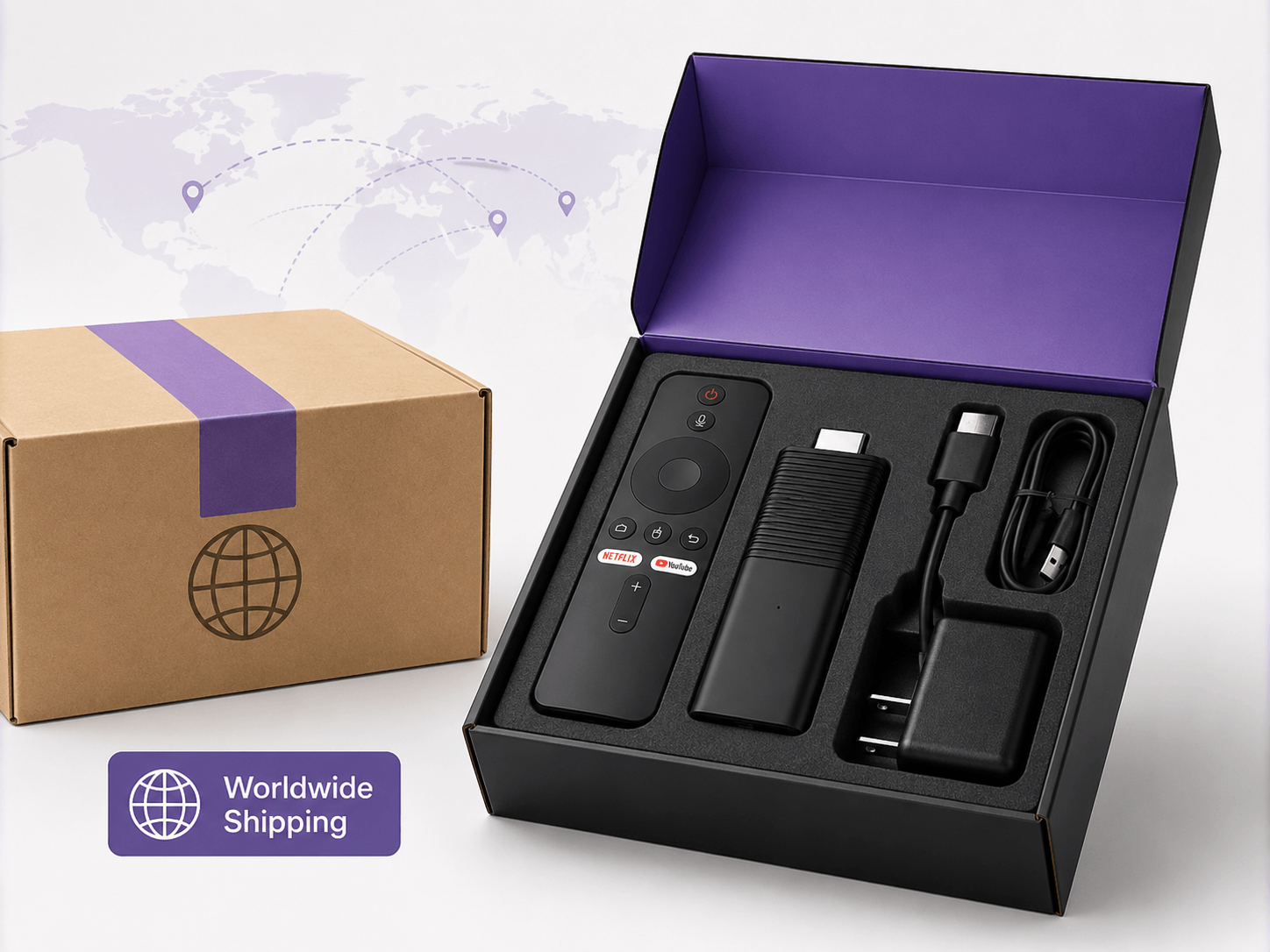
Your Flixy TV Stick package is designed to include the core items needed for a simple smart TV upgrade.

What's Included

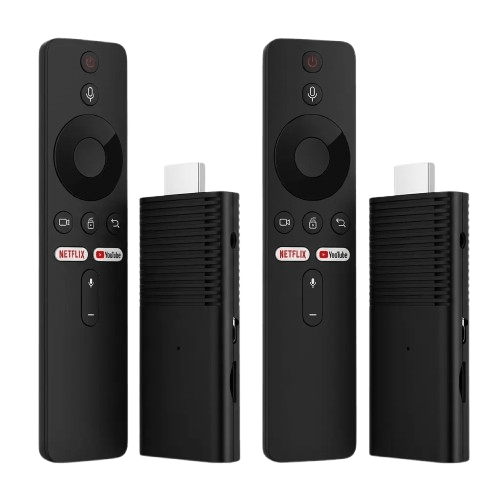
  • 1 × Flixy TV Stick with HDMI connection
  • 1 × Remote control
  • 1 × USB power cable
  • Setup instructions / quick-start guidance
  • Packaging required for returns (where applicable)

What You May Need Before Setup

  • A television or display with an available HDMI port
  • A stable Wi-Fi connection
  • A suitable USB power source or compatible power adapter
  • Batteries for the remote, if not included in your package
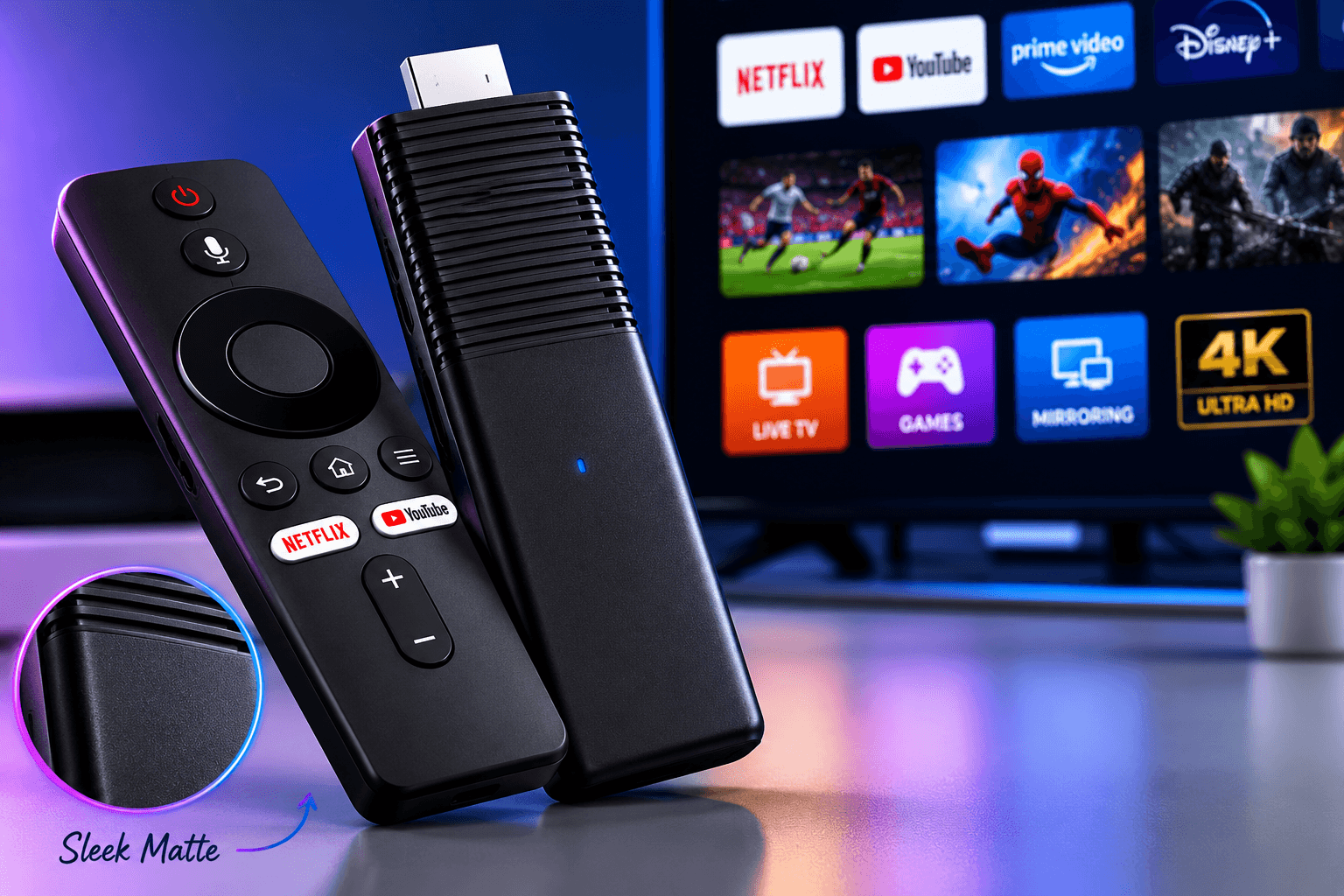
Close-up of Flixy TV Stick highlighting its sleek, matte finish.
Good to know: Package contents and included accessories should be confirmed at checkout before placing your order, especially when buying bundles.

Hand holding a lightweight Flixy TV Stick to show size.

Size, Build & Finish

Flixy is engineered for durability and smooth performance. The 1 GB RAM and 8 GB internal storage ensure quick loading times and reliable multitasking. A dual‑band Wi‑Fi module supports 2.4 GHz and 5 GHz networks for stable streaming. The custom OS is lightweight yet powerful, running a full web browser and AI recommendation engine.

The stick itself is crafted from high‑quality ABS plastic that resists heat and wear. At just a few inches long, it remains hidden behind your TV, reducing clutter. Flixy includes a responsive remote and a USB power cable, you can plug it into your TV’s USB port or use the wall adapter for extra power reliability.

No colour variations are currently available.


Made for Everyone

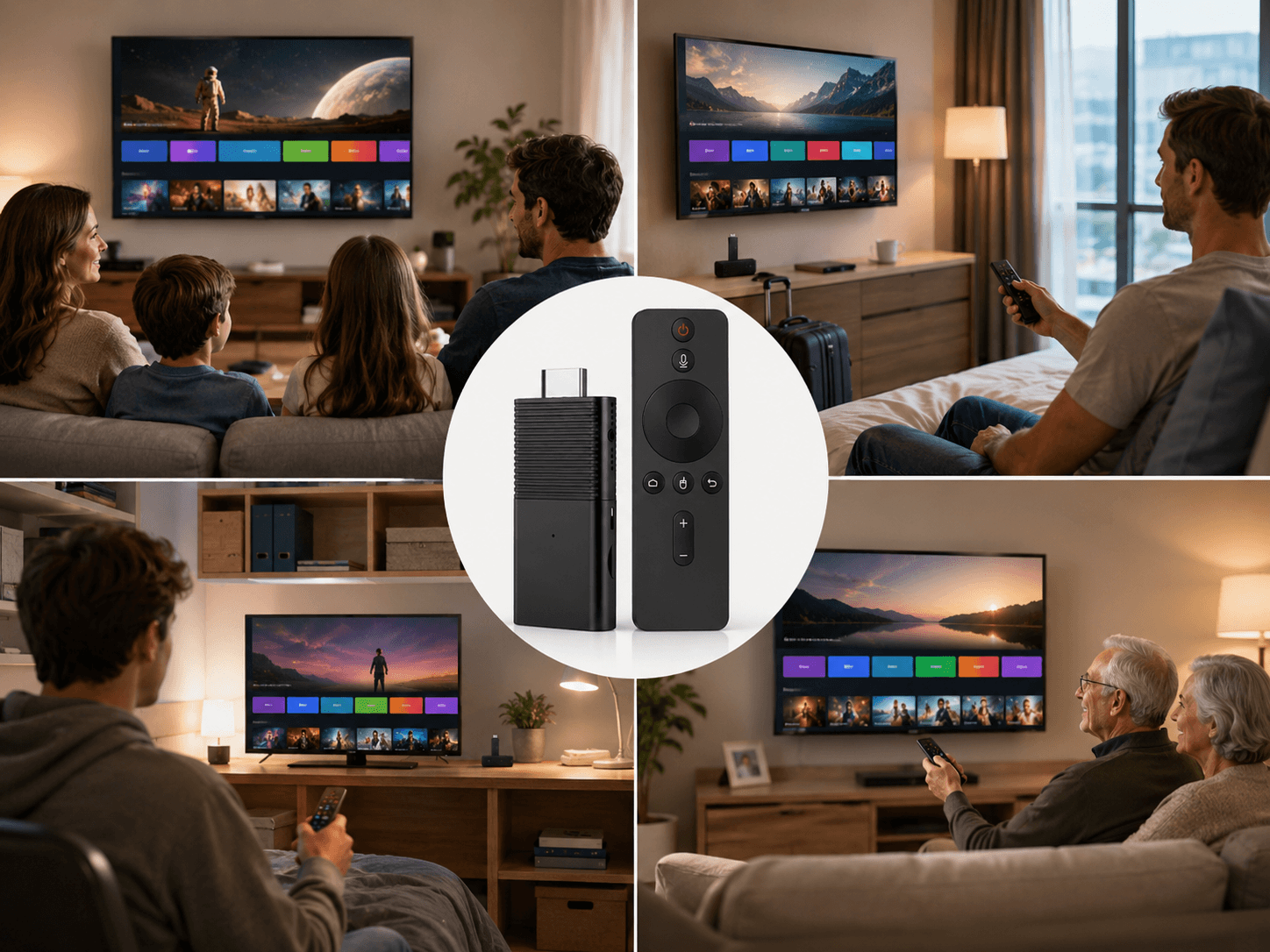
From cord-cutters to travellers to tech-averse seniors — Flixy fits right into your life.

Cord-Cutters

Anyone tired of cable contracts and rising monthly bills. Flixy delivers entertainment freedom without recurring subscription costs.

Owners of Older TVs

If your TV has an HDMI port, Flixy instantly upgrades it with modern streaming apps and smart TV capabilities.

Travellers & Digital Nomads

Compact and lightweight, making it perfect for hotels, vacation rentals, RVs, and life on the move.

Families & Students

Share entertainment across households, dorm rooms, and apartments without paying for multiple services.

Tech-Averse Users

Plug it in, connect to Wi-Fi, and start watching. No complicated setup or technical knowledge required.

Smart TV Users Seeking More

Unlock additional apps, broader content access, and fewer restrictions than many built-in smart TV platforms.

Different people using Flixy TV Stick

Quick Buying Guide

Flixy is built for people who want a compact way to add streaming features to an existing television. It may be a strong fit when you value simple setup, portability and access to supported entertainment apps from one small device.

✓ Flixy May Be Right for You If You:

  • Have an older HDMI TV that needs smart viewing features
  • Want a compact streaming device for travel or guest rooms
  • Prefer browsing free content before adding paid services
  • Want screen mirroring for photos and presentations
  • Appreciate simple plug-and-play setup

⚠ Consider Your Needs First If You:

  • Expect premium paid apps to become free automatically
  • Need a specific regional channel without checking availability
  • Require guaranteed maximum resolution on every app
  • Have weak Wi-Fi where your TV is located
  • Prefer a specific ecosystem such as Roku, Fire TV or Apple TV
Flixy is most useful as a simple smart TV upgrade: a way to place apps, browsing features, mirroring and entertainment options onto a compatible television without replacing the screen itself.

Special Offer - Up to 75% Off

For a limited time, Flixy offers up to 75% off plus free shipping on larger bundles. Buying multiple sticks is ideal for gifting or equipping several TVs. Every purchase is backed by a 30-day money-back guarantee. Act quickly - high demand means limited stock.

Flixy TV Stick
1 × Flixy TV Stick
$73.99
per unit
Order Now

Try Flixy on one TV

Flixy TV Stick Bundle 2
2 × Flixy TV Sticks
$54.45
per unit
Order Now

Bedroom + living room

Flixy TV Stick Bundle 4
Best Value
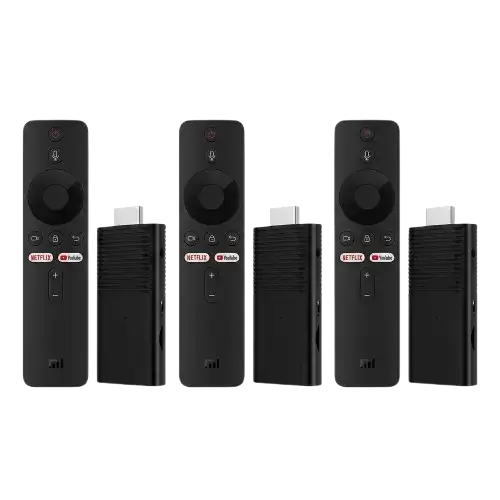
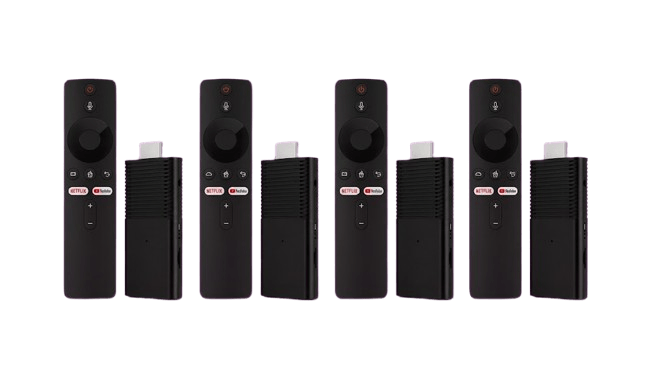
4 × Flixy TV Sticks
$39.90
per unit
Order Now

Best price for larger households

Secure SSL checkout  ·  Free shipping on bundles  ·  30-day money-back guarantee
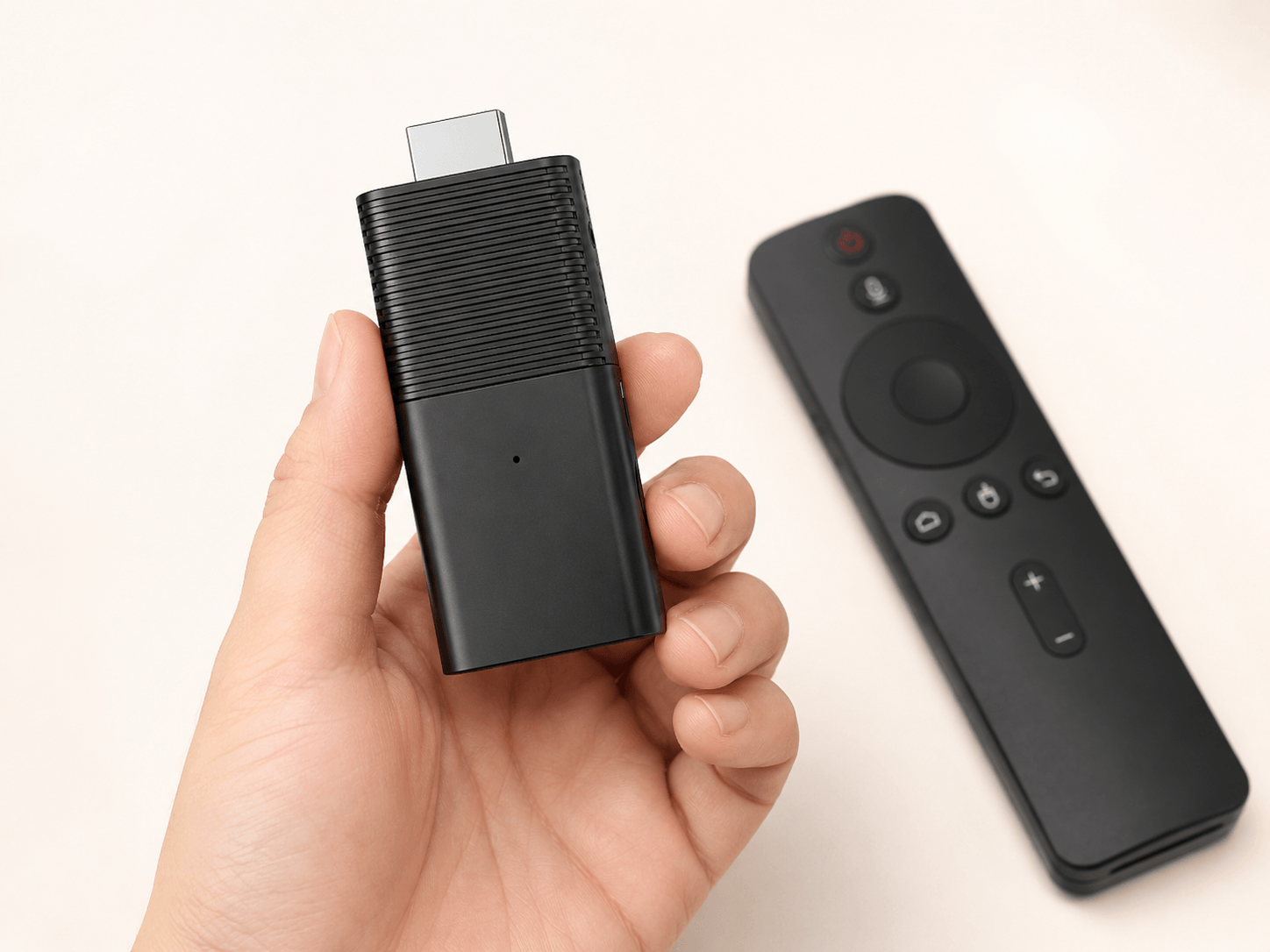

Review Your Bundle Before Checkout

Flixy bundle offers are designed for buyers who want one device for a main TV, multiple TVs throughout the home, travel use or gifting. Take a moment to confirm your order details before completing checkout.

Review Your Selection

  • The number of Flixy sticks in your cart
  • The price per device and total price
  • Whether free shipping applies to your bundle
  • Any optional add-ons or upgrades
  • Your delivery address and contact details
  • The return and refund terms linked at checkout
Review My Order

Choosing the Right Bundle

Package
Suitable For
1 × Flixy
Trying Flixy on one TV
2 × Flixy
Bedroom and living room setup
3 × Flixy
Multiple TVs or family gifting
4 × Flixy
Best value for larger households
Helpful Reminder

Select only the quantity you need and review the final order summary before completing payment.


Compact Design That Fits Anywhere

Flixy measures roughly 4 inches long and weighs under 2 ounces, making it easy to conceal behind almost any TV and perfect for travel.

The stick comes in a sleek black finish with minimalist branding and includes a matching remote and USB power cable.

Its compact form factor means it won't block adjacent HDMI ports or create unnecessary clutter around your entertainment setup.

No colour variations are currently available, but the neutral design complements virtually any décor and blends seamlessly into modern living spaces.

Hand holding a lightweight Flixy TV Stick to show size

Flixy vs. The Competition

See how Flixy stacks up against Amazon Fire TV Stick 4K Max and Roku Streaming Stick+.

Feature / Price Flixy TV Stick Amazon Fire TV Stick 4K Max Roku Streaming Stick+
Price (single unit) $73.99 (50% off) $39.99 MSRP $39.99
Monthly Fees ✓ None - access to 1,000+ free channels No fee for device but many apps require paid subscriptions No fee for device - apps like Netflix or Disney+ require their own subscriptions
Free Channels 1,000+ free channels & apps with AI curation 20,000+ free movies & TV episodes via apps like IMDb TV and Pluto TV Over 500 free live TV channels via Roku Channel
Included Apps / Services Built-in store with games, browser, screen mirroring & global content Access to major streaming services (Netflix, Prime Video, Disney+, etc.) Access to major streaming services - includes Roku Channel app
Memory & Storage 1 GB RAM · 8 GB internal storage 2 GB RAM · 16 GB storage (varies by model) 1 GB RAM · 8 GB storage (varies by model)
Premium Features AI recommendations, built-in games, screen mirroring, 4K/8K support, ad-free streaming Alexa voice control, Wi-Fi 6E, 4K HDR - ad-supported apps & separate subscriptions 4K HDR, voice remote, automatic updates, cross-platform search
Money-Back Guarantee ✓ 30-day full refund 30-day return policy through retailer 30-day return policy

Loved Around the World

Real customers, real results. See what people are saying about Flixy.

★★★★★

"Our guest-room TV was basically collecting dust because it didn't have any smart features. I ordered the Flixy TV Stick, plugged it in, and the Flixy Wi-Fi setup was easier than I expected. Now when family visits, they can actually settle in and watch something without asking me to move the living-room TV."

Emily Rider, 41
Seattle, Washington, USA
✓ Verified Customer
★★★★★

"I live in a small apartment and really didn't want another big box or a mess of cables around the TV. This little stick tucked behind the screen neatly, and I was watching online videos that same evening. It's become part of my Friday routine: takeout, couch, blanket, and something new to watch."

Lucas Müller, 34
Toronto, Ontario, Canada
✓ Verified Customer
★★★★★

"My bedroom television still had a lovely picture, but the menus felt painfully outdated. The Flixy streaming stick gave it the simple upgrade I wanted without buying another TV. I checked the information on Flixy compatible TVs first, saw mine had HDMI, and had it running after tea with hardly any fuss."

Harriet Wills, 57
Bristol, United Kingdom
✓ Verified Customer
★★★★★

"I travel between Wellington and Auckland for work, and hotel television choices can be pretty grim. I started carrying the stick in the front pocket of my laptop bag. When the room TV has the right connection and Wi-Fi behaves, I can settle in with my own viewing setup instead of scrolling hotel channels all night."

Daniel Wilson, 38
Wellington, New Zealand
✓ Verified Customer
★★★★★

"I originally bought the Flixy device for streaming in our kitchen, but the feature we use most is Flixy smart stick screen mirroring. After Sunday lunches, everyone sends photos from their phones and we put them on the TV. My parents love it, and somehow our ordinary television has become the center of family catch-ups."

Sophie Dijk, 29
Hamburg, Germany
✓ Verified Customer
★★★★★

"My dad likes watching videos and news clips, but anything with too many menus puts him off straight away. I set this up on his spare TV, wrote three short steps on a card, and left it by the remote. A week later he rang me, delighted, because he'd managed everything himself."

Aidan Cape, 46
Cork, Ireland
✓ Verified Customer

Frequently Asked Questions

Everything you need to know before you buy. For anything else, our 24/7 support team is here to help.

Is there a monthly fee to use Flixy?
No. Flixy TV Stick has no monthly subscription fees. After the one-time purchase, you unlock access to thousands of channels and apps without ongoing costs.
What do I need to start using Flixy?
A TV with an HDMI port and a Wi-Fi connection. Plug Flixy in, connect to Wi-Fi and you're ready to stream.
Does Flixy include local channels and live TV?
Yes. Flixy provides access to live TV channels, including news and sports, through its vast library of free content. Channel availability may vary by region.
Can I watch in HD or 4K?
Absolutely. Flixy supports high-definition and 4K streaming, and up to 8K where supported by your TV and internet connection.
Will Flixy work with older TVs?
Yes. As long as your TV has an HDMI port (commonly available since 2003), Flixy will work perfectly.
Can I watch Netflix on Flixy?
Yes. Flixy supports major apps like Netflix, YouTube and Prime Video - app availability may vary by region. You'll still need your personal subscriptions where required.
What is the Flixy TV Stick?
Flixy TV Stick is a compact HDMI streaming device designed to add smart entertainment features to a compatible television. Once connected to power and Wi-Fi, it lets users access supported apps, online viewing options, screen mirroring and other entertainment functions through their TV screen.
Can you get Sky on Flixy?
Availability of Sky or other paid television services depends on app support, your location and whether you have a valid account or subscription. Flixy should not be understood as providing free access to paid channels or services that normally require membership.
Can you record with Flixy?
Recording capability is not clearly listed in the available Flixy product information. Buyers who need recording, DVR or pause-and-rewind features should confirm those functions on the current product page or with customer support before ordering.
How much does Flixy cost?
The displayed promotional offer lists 1 Flixy TV Stick at $73.99. Bundle pricing reduces the cost per unit, with the listed 4-pack offer priced at $39.90 each. Prices, discounts, shipping and availability may change, so check the current product page before purchase.
Where can I buy the Flixy TV Stick?
You can check current Flixy product details, available bundles, pricing and purchase options through the product information page. Before placing an order, review the selected quantity, total price, shipping terms and refund policy.
Does Flixy come with a money-back guarantee?
The current offer includes a 30-day money-back guarantee. Buyers should review the refund terms before ordering, including the eligible return period, required product condition, included accessories and any return-shipping instructions.
Is Flixy legal?
Flixy is legal as a hardware device. It accesses publicly available channels and apps - legal use depends on watching content licensed in your region.
Is Flixy portable?
Yes. Flixy is lightweight and travel-friendly, making it perfect for hotels, rentals or family gatherings.
Does Flixy come preloaded with apps?
Flixy arrives with a curated selection of free apps and channels, and you can download more via the built-in store.
What comes with the Flixy TV Stick?
The product package is intended to include the Flixy streaming stick, remote control, USB power cable and setup guidance. Check your selected offer page for exact package contents, accessory details and whether batteries or a power adapter are included.
Do premium apps become free when I use Flixy?
No. Flixy is a streaming device, not a subscription replacement for paid platforms. Premium apps may be supported, but services such as paid movie libraries or membership platforms can still require separate user accounts and payment.
What channels are available on Flixy?
Channel and app availability can vary depending on your region, installed apps and content providers. Flixy is intended to help you browse supported free viewing options, apps, live-content sources and personal media on a compatible TV.
Can Flixy work without Wi-Fi?
Flixy needs an internet connection for online streaming, app access and content updates. Some screen-mirroring or local-media functions may depend on the connected device and setup, but online entertainment requires a reliable Wi-Fi connection.
Does Flixy give free access to Netflix or paid sports services?
No. Premium services and paid sports packages may require separate subscriptions. Flixy can help you access supported apps from your TV, while each content provider controls its own plans, pricing and regional availability.
How does Flixy compare with Fire TV Stick?
Flixy is positioned as a compact TV upgrade focused on supported entertainment access, screen mirroring and promotional bundle pricing. Fire TV Stick operates within Amazon's streaming ecosystem. Buyers should compare current app support, device specifications, price, subscriptions and return policies before deciding.
How does Flixy compare with Roku?
Flixy is promoted as an HDMI streaming stick for adding smart features to compatible TVs. Roku devices are known for their own platform and app ecosystem. The better fit depends on the apps you use, interface preferences, free-content options, pricing and support terms offered at purchase.
Does Flixy work in the UK or Australia?
Flixy is designed for compatible televisions with an HDMI port and a suitable internet connection. Buyers in the UK or Australia should confirm current shipping availability, power requirements, app support, regional content access and return terms before placing an order.
Is Flixy available on Amazon?
Amazon availability is not confirmed in the product information provided here. Buyers should use caution with marketplace listings that may have different sellers, package contents, prices or return policies. Check the current product page for the offer and support terms being promoted.
Can I return Flixy if it is not suitable for my TV?
Return eligibility depends on the guarantee and return terms shown with your purchase. Keep the original packaging and accessories, then contact support within the stated return period for instructions.
What should I do if Flixy will not connect to Wi-Fi?
First, check your Wi-Fi password, restart the device and router, and move the router closer if possible. You can also try another available network band. When setup problems continue, contact support using the order or contact details provided.
30-Day Money-Back Guarantee

30-Day Money-Back Guarantee

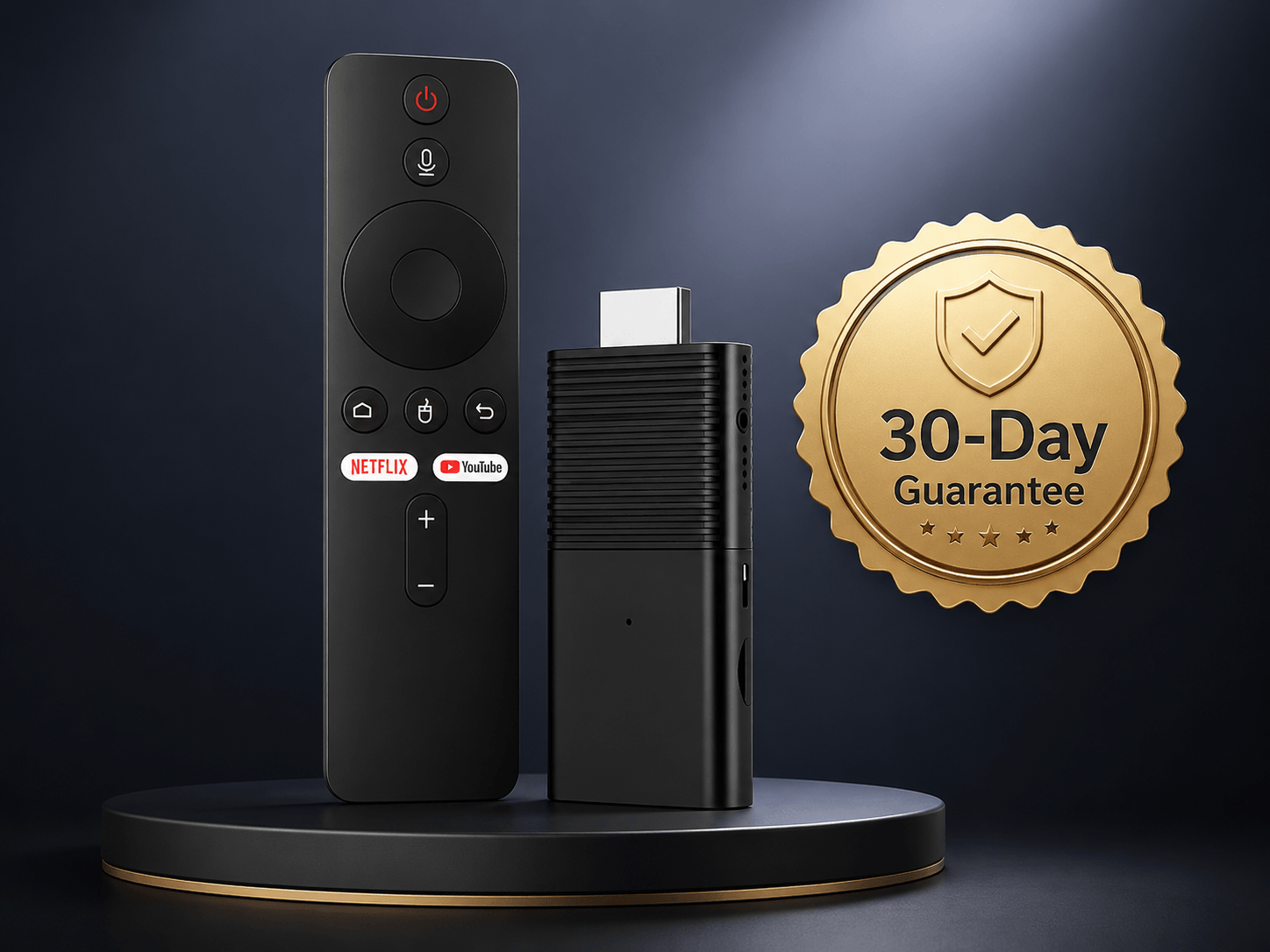
Your purchase is protected by a 30‑day money‑back guarantee. Test Flixy risk‑free, if it doesn’t meet your expectations, simply return it within 30 days for a complete refund.

This risk-free trial underscores our confidence in the device and ensures peace of mind for every customer.

Get Flixy Now

Fast Shipping, Easy Returns

Flixy ships worldwide through trusted carriers. Every purchase is backed by straightforward, no-hassle returns.

Simple Return Process

We want the return process to be clear before you place an order.

  • 1
    Contact support within the stated guarantee period through our Contact page.
  • 2
    Request return instructions before sending the product back.
  • 3
    Keep the original product, packaging and accessories together until your request is resolved.
  • 4
    Follow the return instructions provided by customer support.
  • 5
    Keep your order confirmation and any shipping records for your reference.

Return eligibility, shipping responsibility and refund timing should be reviewed in the current Refund Policy before purchase.

Illustration showing package delivery and return process

Security & Checkout Assurance

Your payment information is protected by SSL‑encrypted checkout, ensuring all transactions are secure. The official Flixy store accepts major credit cards and PayPal. We never store your financial details, and personal data is safeguarded under strict privacy policies.

For added peace of mind, Flixy is A+ accredited and supports third‑party ratings for transparency.

Get Flixy Now
30-Day Money-Back checkout

Privacy, Affiliate Disclosure & Seller Transparency

Secure Ordering

When placing an order, review the checkout page carefully before submitting payment. Confirm your selected quantity, price, shipping terms and any optional add-ons shown in the order summary.

Privacy Information

Your use of this website is governed by our Privacy Policy. Review that policy to understand how website data, contact information and order-related details are handled.

Affiliate Disclosure

This product information page may contain affiliate links. If you purchase through a link on this website, we may earn a commission at no additional cost to you.

Seller & Order Support

For order questions, setup assistance or return requests, use the contact method provided on your order confirmation or our Contact page.


Need Help? We're Here 24/7

Have a question about your order, shipping, setup or returns? Our customer support team is available around the clock to assist you.

Flixy's customer support is available 24/7 via live chat, email or phone. Whether you need help setting up your device, checking an order status or starting a return under the money-back guarantee, assistance is always available.

Visit our Contact page to connect with a support representative and get the help you need quickly and efficiently.

Contact Support
Friendly customer contact representative assisting a Flixy customer